Your whole security force in one system
Venues and static sites in the same system. Follow all locations live from the control room, run the radio, and keep the customers, the employees and the reports together – with data kept safely separate per customer.
From NOK 390 a month – see the prices
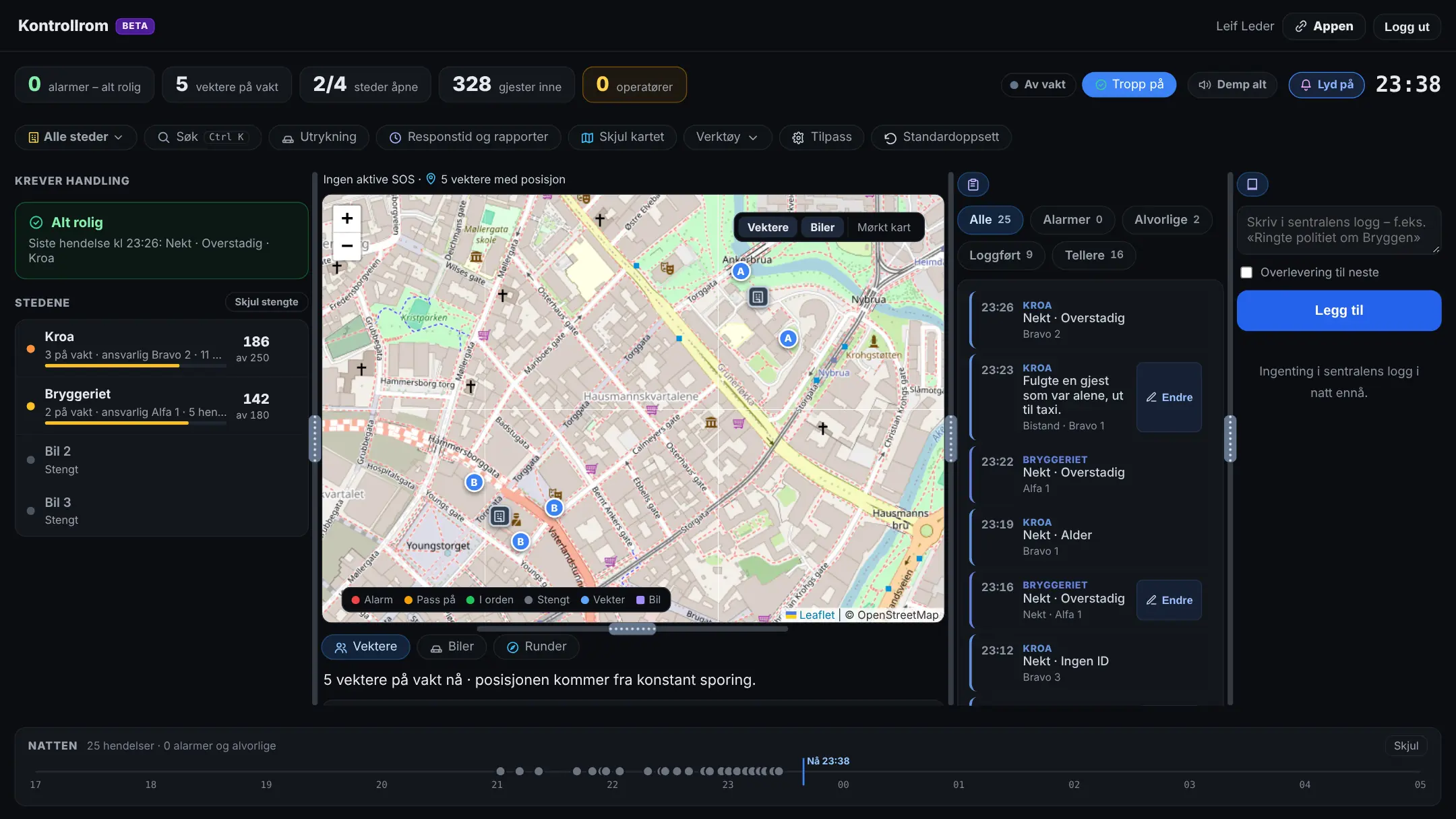
Control room, control centre and customer portal
The guards use the app out in the field. Management and the control centre follow along from the PC, and management has the customers, the employees, the hours and the setup in the customer portal.
All locations live
The venues and the sites on one screen: who's on duty and tonight's incidents – the most serious first, with sound when an alarm comes in.
Static guarding
Choose for each location whether it's door security or static guarding. At the site: visitor log, key cabinet, logbook and shifts with a shift report – and locking and opening rounds with an alert when a round isn't done in time.
Tonight's patrols
The patrols per location in the control room: who did them and when, the zones scanned or ticked off, and the deviations with photos – and the zones on the map.
The control centre on the radio
Listen to all talk groups at once, talk with the space bar or a foot pedal, break in, talk privately and listen in on an SOS.
Operator in the control centre
A ready-made role for the control centre: the control room, the alarms, the radio and the guards' contact cards – without the setup. The operators go on and off duty, and SOS goes to those on duty in the control centre.
Write for the guards
Log and correct incidents, and write incident and use-of-force reports for a guard who's in the middle of a situation. The use-of-force report stays “waiting for confirmation” until the guard has read and signed it.
Roles and tags
Roles for the guards, management and the control centre – and custom roles and tags with the permissions you choose.
The customer follows along
The venue gets the final report and can get its own access: see the numbers for the evening, trigger an SOS when they're on site and order extra guards.
Customers, hours and invoicing
The customer register with the locations and assignments, the hours approved against the schedule, the payroll basis and the invoicing basis per customer – in the customer portal.
Employees
The employee card with position, employment contract, documents with expiry dates and the equipment handed out. Guards apply for holiday and time off in the app, and management approves in the portal.
HSE
The guards report deviations in the working environment – also anonymously – and management follows up with actions and deadlines. Safety inspections, an injury register and the HSE handbook with “read and understood”.
Group with branches
Bring the branches together in a group. The group sets common standards and can lock settings for the branches.
On top of what needs to be in order
Approvals, signatures and reports gathered in one place – and what managers should deal with, brought to the front.
Needs action
A use-of-force report that's missing, or waiting for the guard's signature or the responsible person's signature, or a night with too few on duty. “Remind” sends a reminder.
ID cards, approval and courses
Each guard records the expiry dates with a photo of the certificate, and a manager approves them. Reminders 60 and 30 days before anything expires.
Visitors, keys and logbook
At the site, the guard records who came and went, who got which key and whether it came back in time, and the logbook for the shift – ready for the next shift and for management.
Report to the police
The annual report that must reach the police by 31 March: the list of employees in the police template and the use-of-force log for the year, built from what you've already recorded.
Radio recordings
What was said on the radio, for those with access – with search in the text when speech-to-text is on. Every playback is listed in the activity log.
Anonymous feedback
After the shift, the guards answer how it went, without names. Management only sees the answers once at least two have replied.
What you're wondering about
Can managers follow along from a PC?
Does it suit static guarding?
Can the control centre write the reports for the guards?
How does the radio work?
Can the venue follow along when we use a security company?
Does it work for several locations?
What does it cost?
What does it cost?
Where is the data stored, and is it safe?
Ready to try Vekterlogg in your company?
Sign up your organisation, invite the guards and start using the app tonight – or book a demo first.